
Link Terminal on POS System
Connect your terminal directly to your POS system to enable seamless payment processing. Once linked, your POS can initiate and manage transactions using your merchant account under the platform. This connection ensures that every transaction you start from your POS is automatically processed and reported in real time.
Before You Link Your New Terminal
Make sure you have everything ready:
- You are subscribed to a POS platform that is integrated with Tap.
- You have requested a terminal device from the Tap sales team.
- Your terminal has active SIM or network connectivity.
- The Acceptance SmartPOS App is installed on your PAX device.
- Your terminal is registered and ready to accept payments.
Link Your Terminal Using QR code or Verification Code
-
From the PoS system, select Terminals from your account details screen.
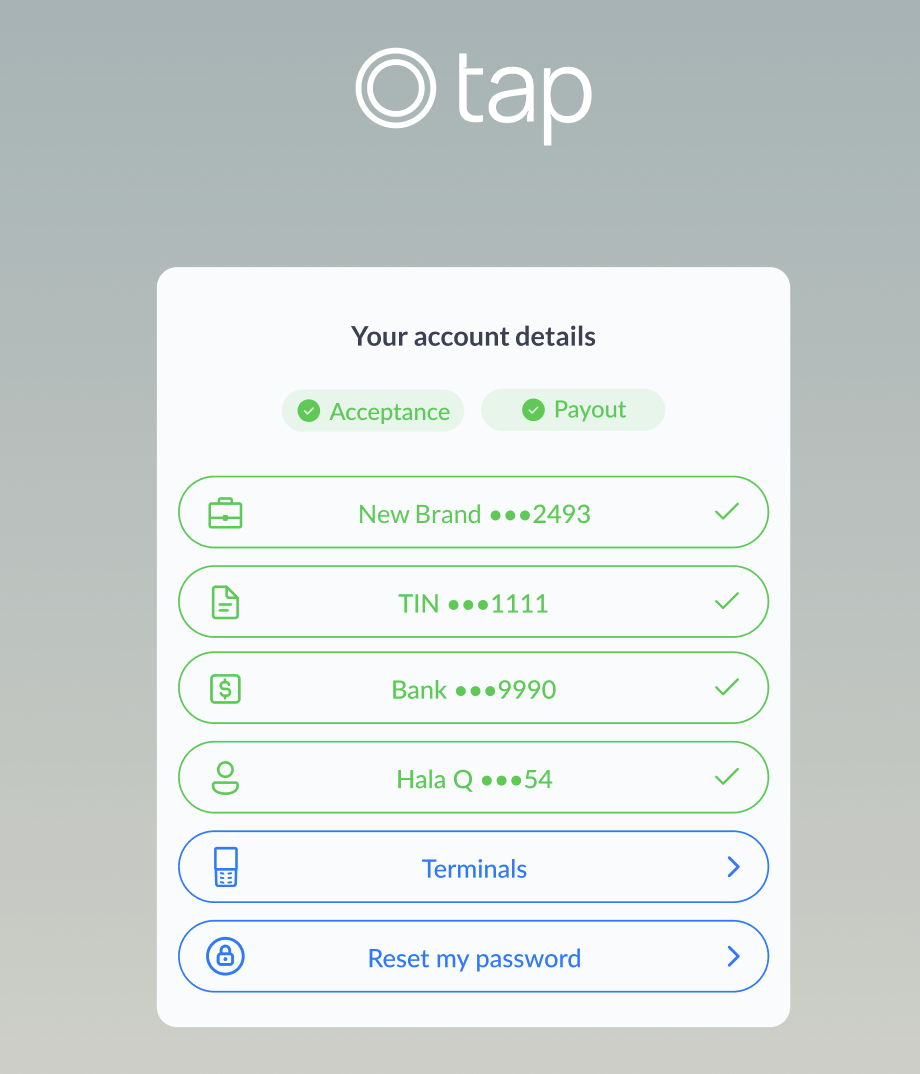
-
Click the Link Terminal button.
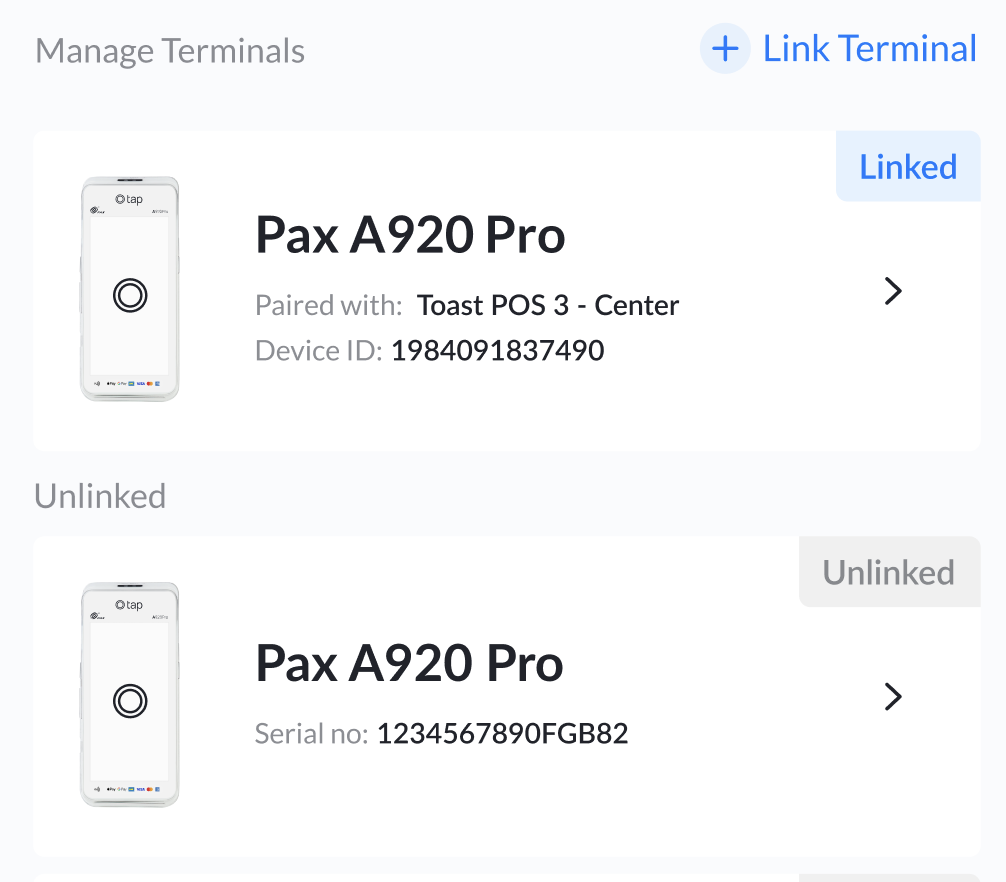
-
Select your POS device from the menu that appears.
-
The Connect Board will then generate a QR code and verification code for linking. Scan the QR code using the POS device or enter the verification code.
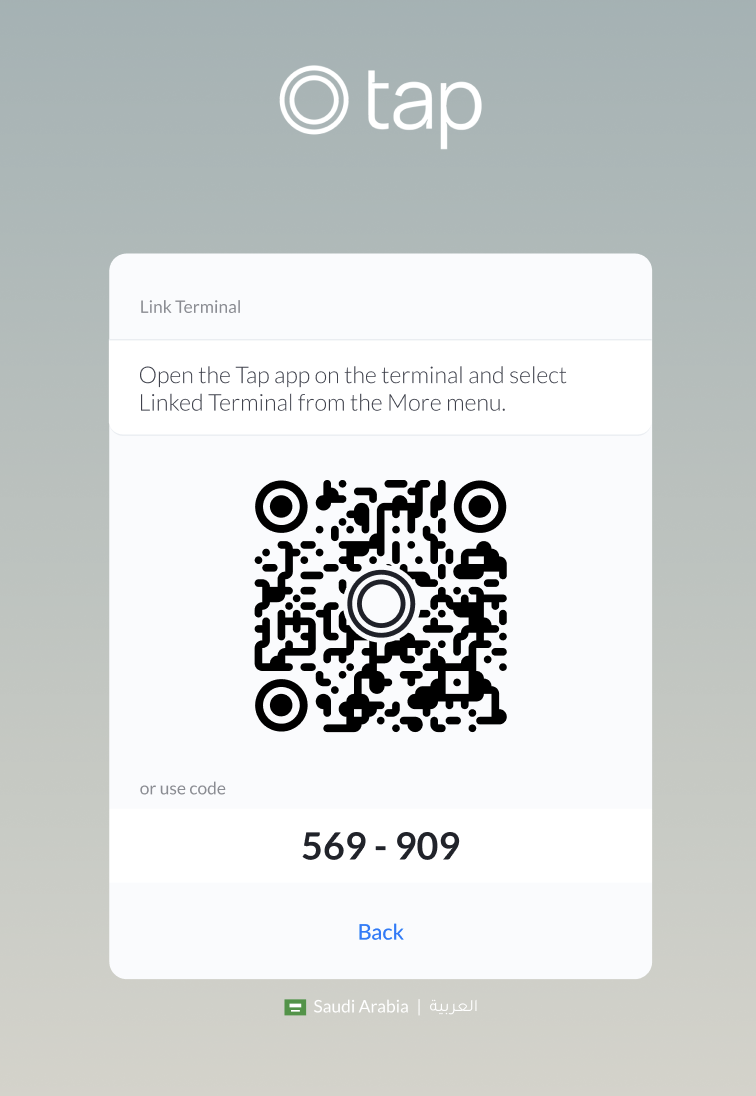
Link Your Terminal Using Push Notification.
-
After selecting Terminals on your Connect Board screen, and choosing the POS device to be linked.
-
A push notification will be sent to your POS device. Click Allow.
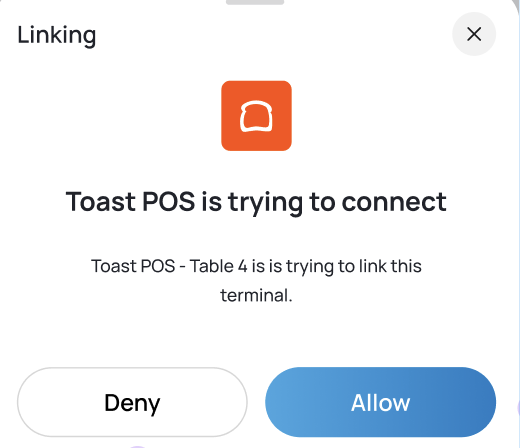
-
Your POS Device is now successfully linked.
What to Do Next on Your Terminal
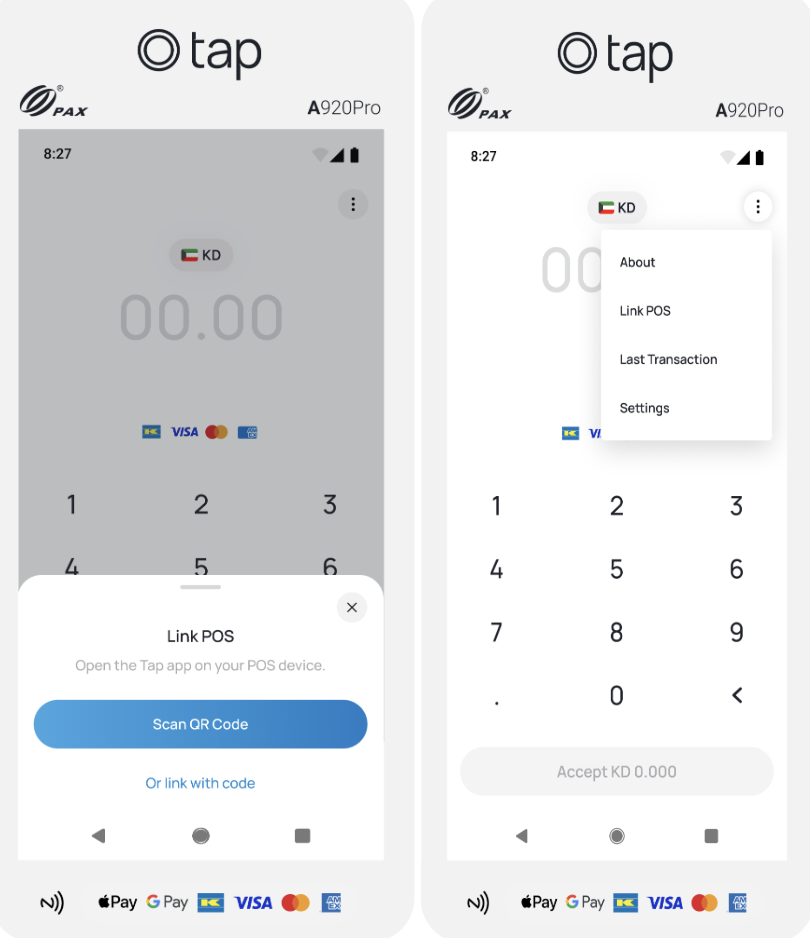
- Open the right-side menu on your terminal and select Link POS.
- Then, scan the QR code or enter the verification code from the Connect Board.
- Once linked, your terminal’s MID will switch automatically to your Platform MID.
Final Step: Confirmation
If everything is done correctly, both the POS system and your SmartPOS App will show a success screen. Your terminal is now linked and ready to accept payments directly through your POS!
Updated 2 months ago